



The Learning and Educational Center provides Canvas Course Templates designed to offer an accessible, mobile-friendly, and appealing framework for your course development. These templates include essential core content such as University policies, Student Resources, and Technical Help, along with an example module featuring sample pages for content, assignments, and discussions. Four templates are available to add to your course with different pieces of information.
LEC Template (Part 1 of 4) Homepage
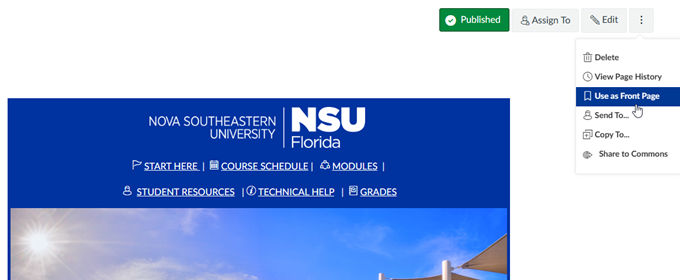
This template will add a Homepage option developed to create a consistent feel for courses at Nova Southeastern University.

The page contains links at the top for where to start in the course, the course schedule, modules, student resources, technical help, and grades. In the center, you will update your name, email address, phone number, and office hours. At the bottom, an affirmation for academic misconduct is included.
After importing the page, you will set it as the course home page.
LEC Template (Part 2 of 4) University Resources
This template will bring in pages and a module for University Resources including Student Resources, University Policies, and Technical Help.
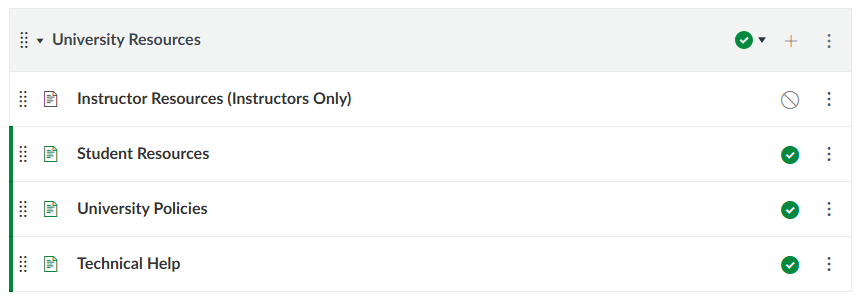
Each page (published in the course) contains useful links for students. The module also includes an unpublished Instructor Resources which contains information on Canvas, contacting the Learning and Educational Center, and getting Technology Support.
LEC Template (Part 3 of 4) Course Introduction
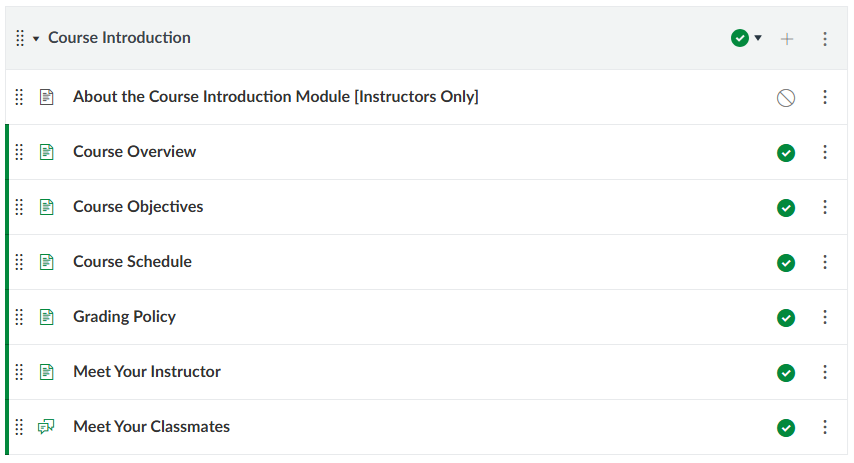
This template includes pages and a module for Course Introduction. Pages include a Course Overview, Objectives, Schedule, Grading Policy, Meet Your Instructor, and a Meet Your Classmates Discussion board.
LEC Template (Part 4 of 4) Sample Pages
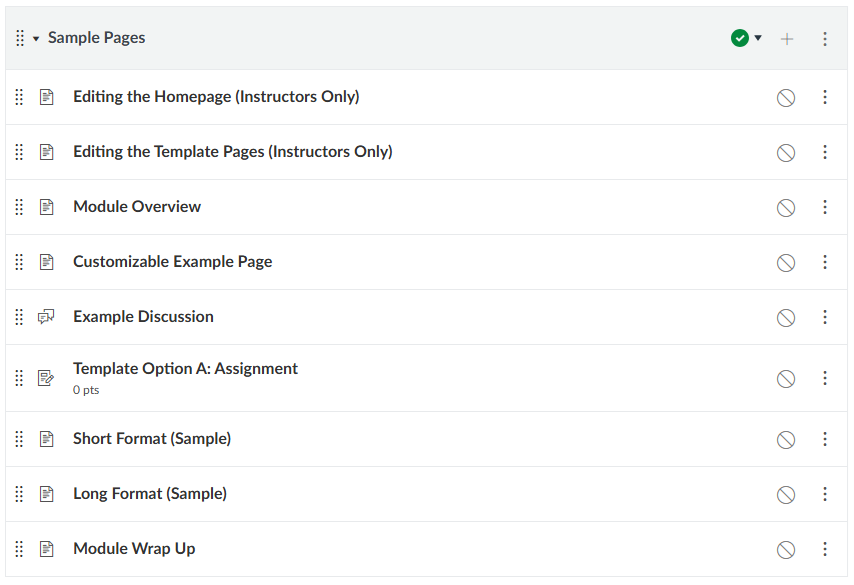
This template contains sample pages that you can use in your course. This includes some instructions about Editing the Homepage, the Template pages and various other sample pages.
Importing LEC Course Templates
You can easily import these templates into your course through Canvas Commons. Note that importing these templates will not remove your content, only import the new pages and modules included in the template. If you have duplicate items already in your course, you might need to remove them or merge content onto the newly added pages.
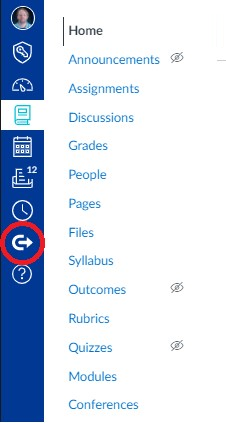
To begin, click the Commons icon on the Canvas sidebar:
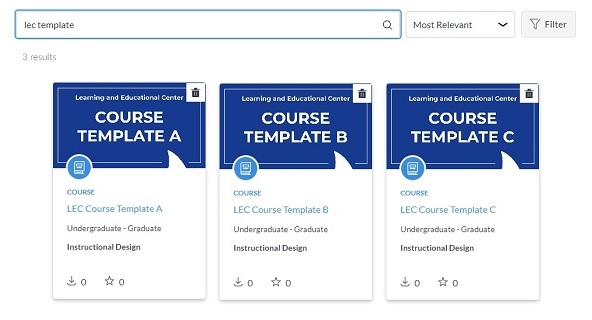
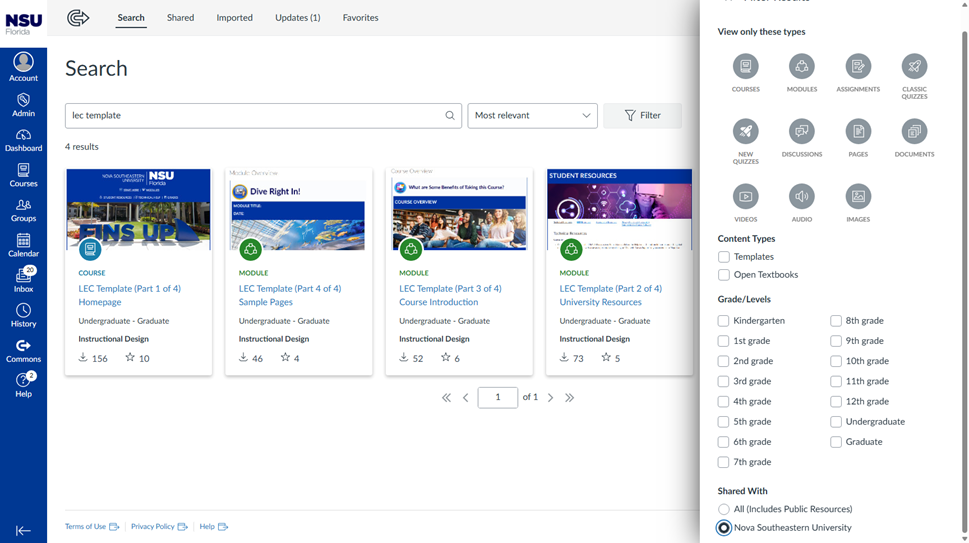
Search for 'LEC Template’ in the search bar. You can ensure you see only these specific templates by clicking the Filter button and selecting Shared With Nova Southeastern University.:
Click on your desired template. You will be shown a preview of the included content:
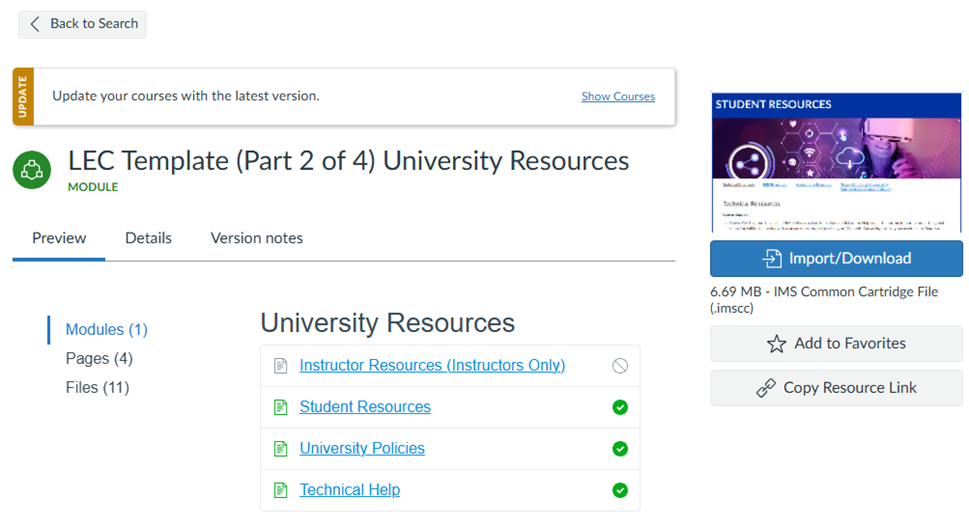
You can click on Modules, Pages, Discussions or Files and preview any content in them.
If you want to view other templates, you can click the Back to Search button to return to the search and preview a different template.
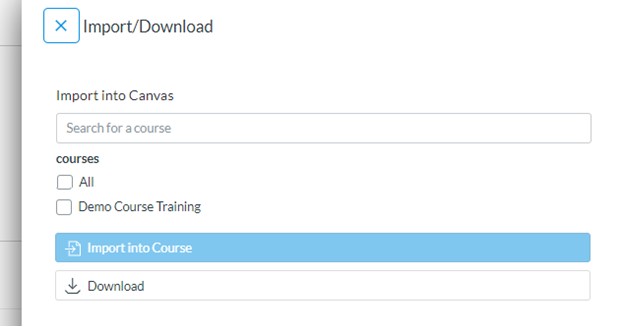
You can import the content to your course by clicking the Import/Download button. Click the checkbox next to the course or courses you want to import into, then click the Import Into Course button:
If you have imported the content previously and an update is available, you may see a message above the preview.