


Setting up MFA on your NSU account to access SharkMail, SharkLink, and Self-Service Banner is a simple process and can be completed in about 5 minutes. The different method options consists of:
- Calling phone number
- Texting code to number
- Asking for verification over Authenticator App
For step-by-step procedures, please follow this guide:
Pre-setup requirements: Remove any previous NSU accounts in Authenticator App
- Click on the old Account
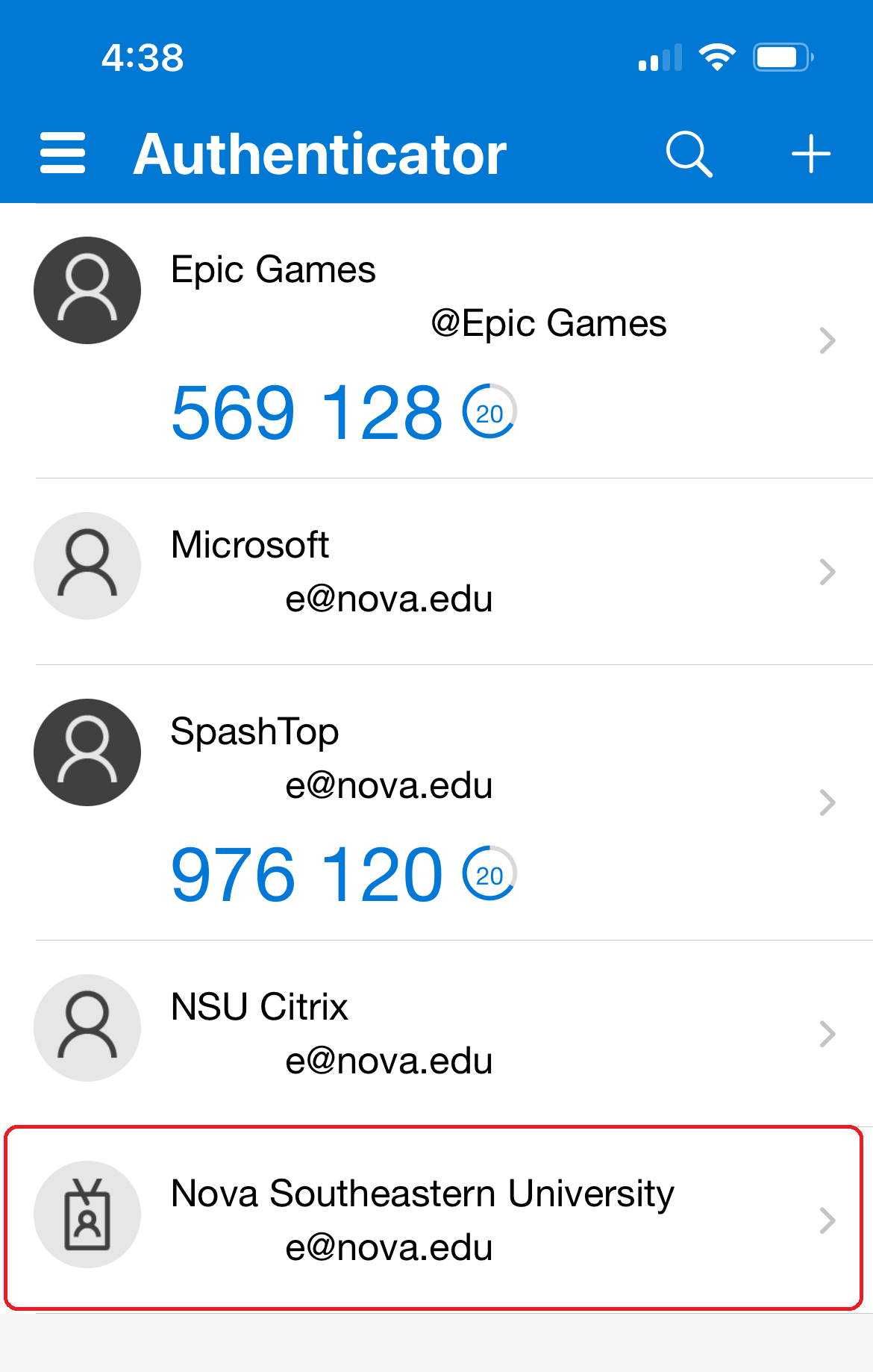
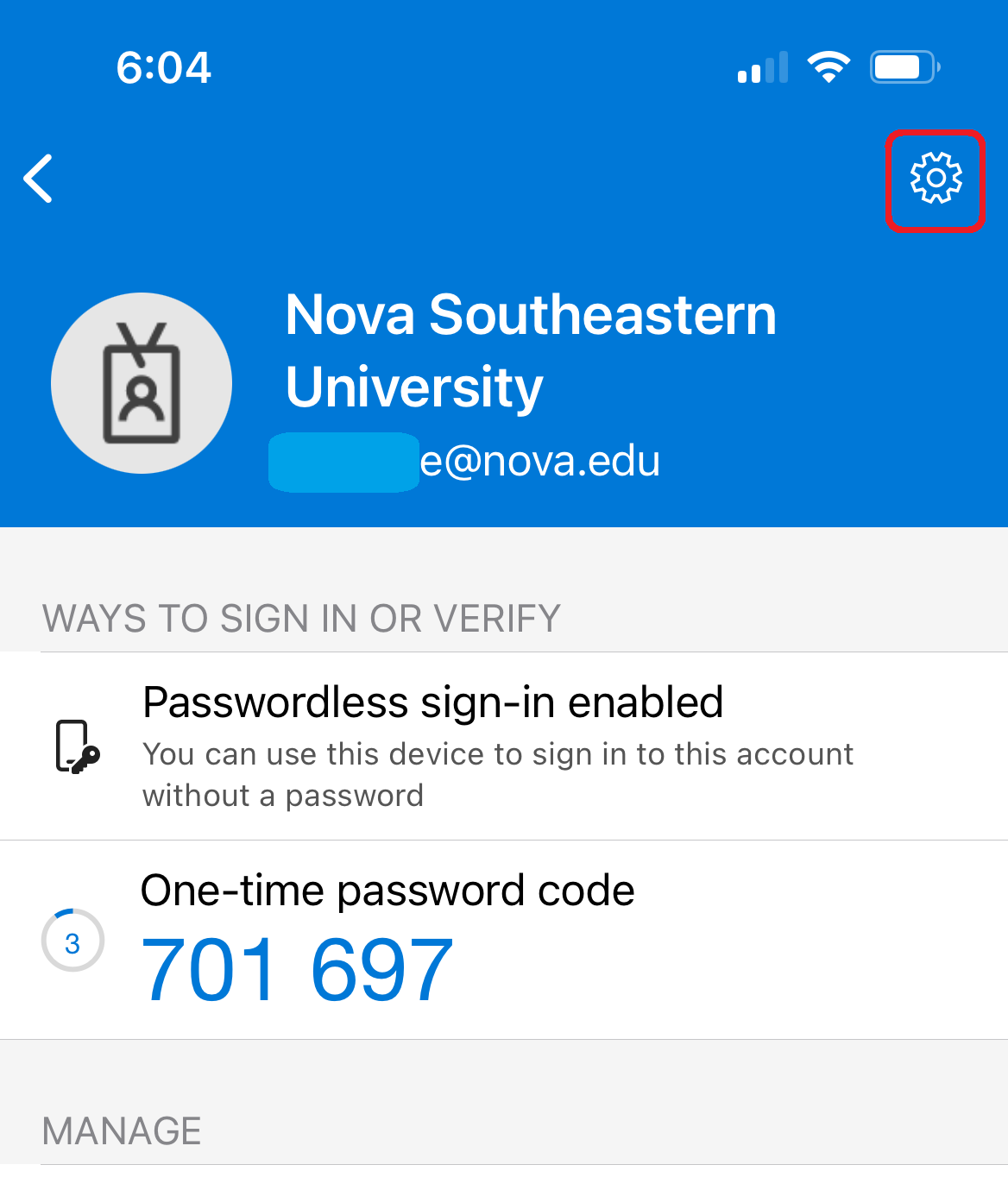
- Click on the Gear
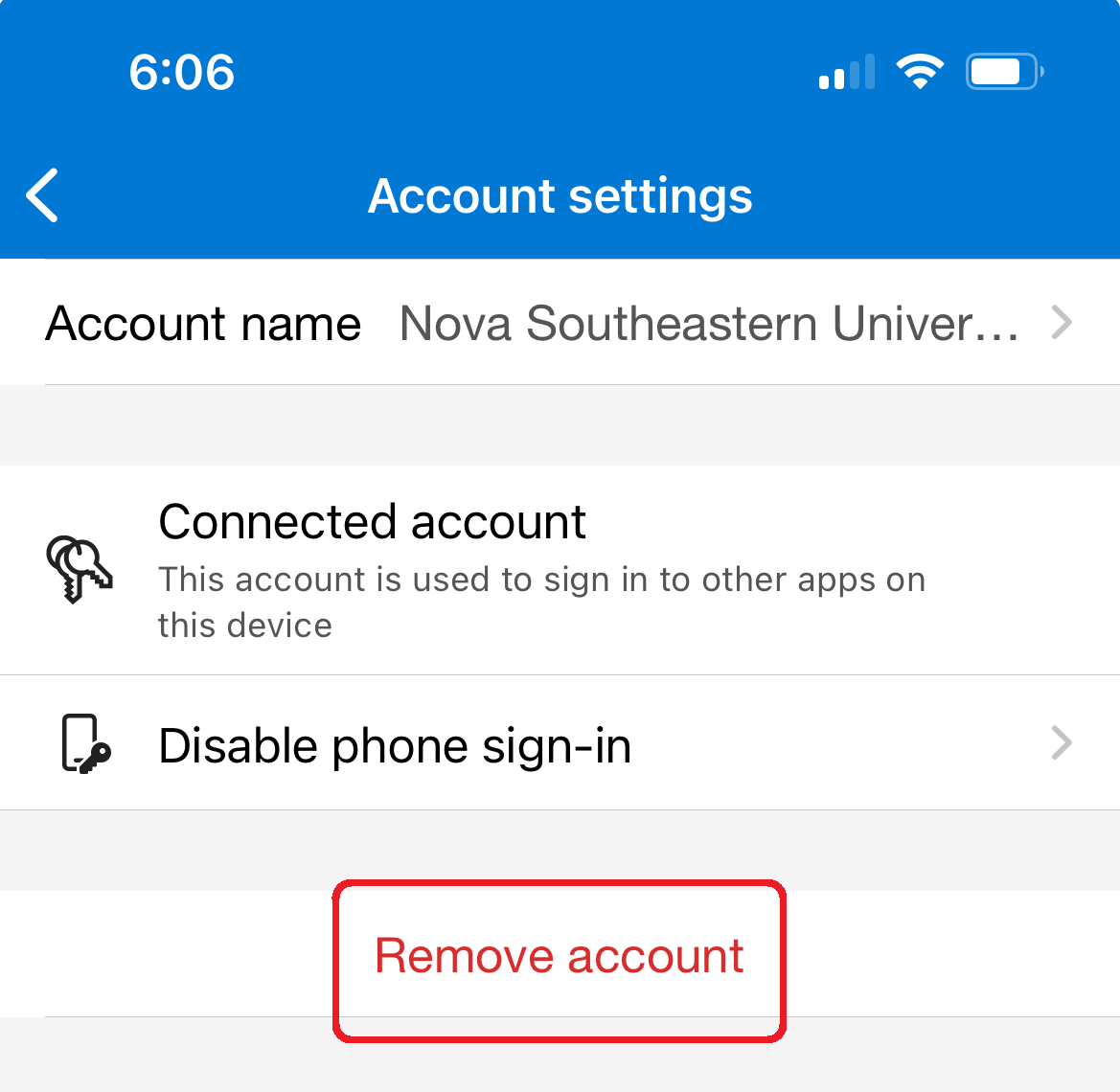
- Click on the Remove account
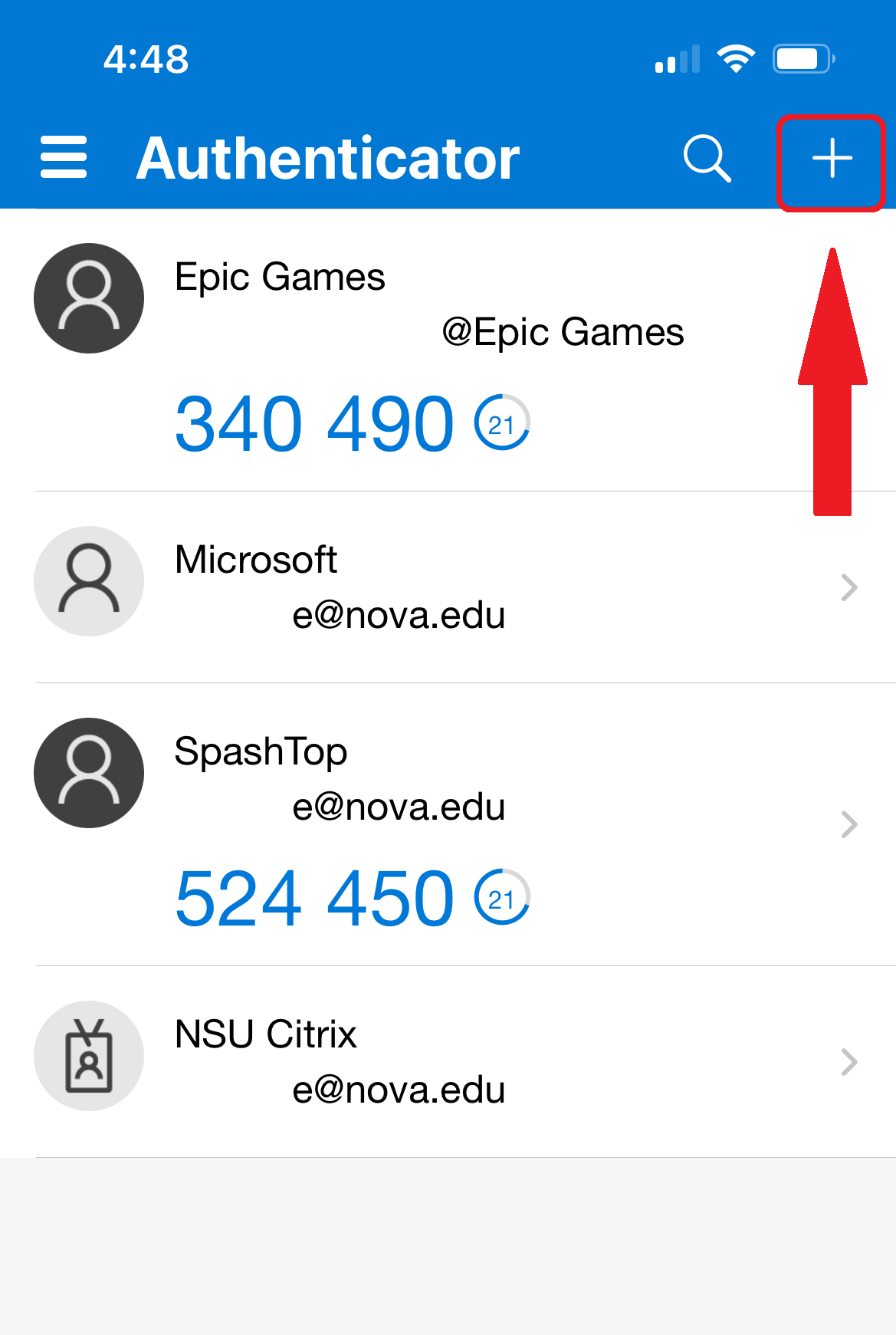
- Click on the Plus (+)
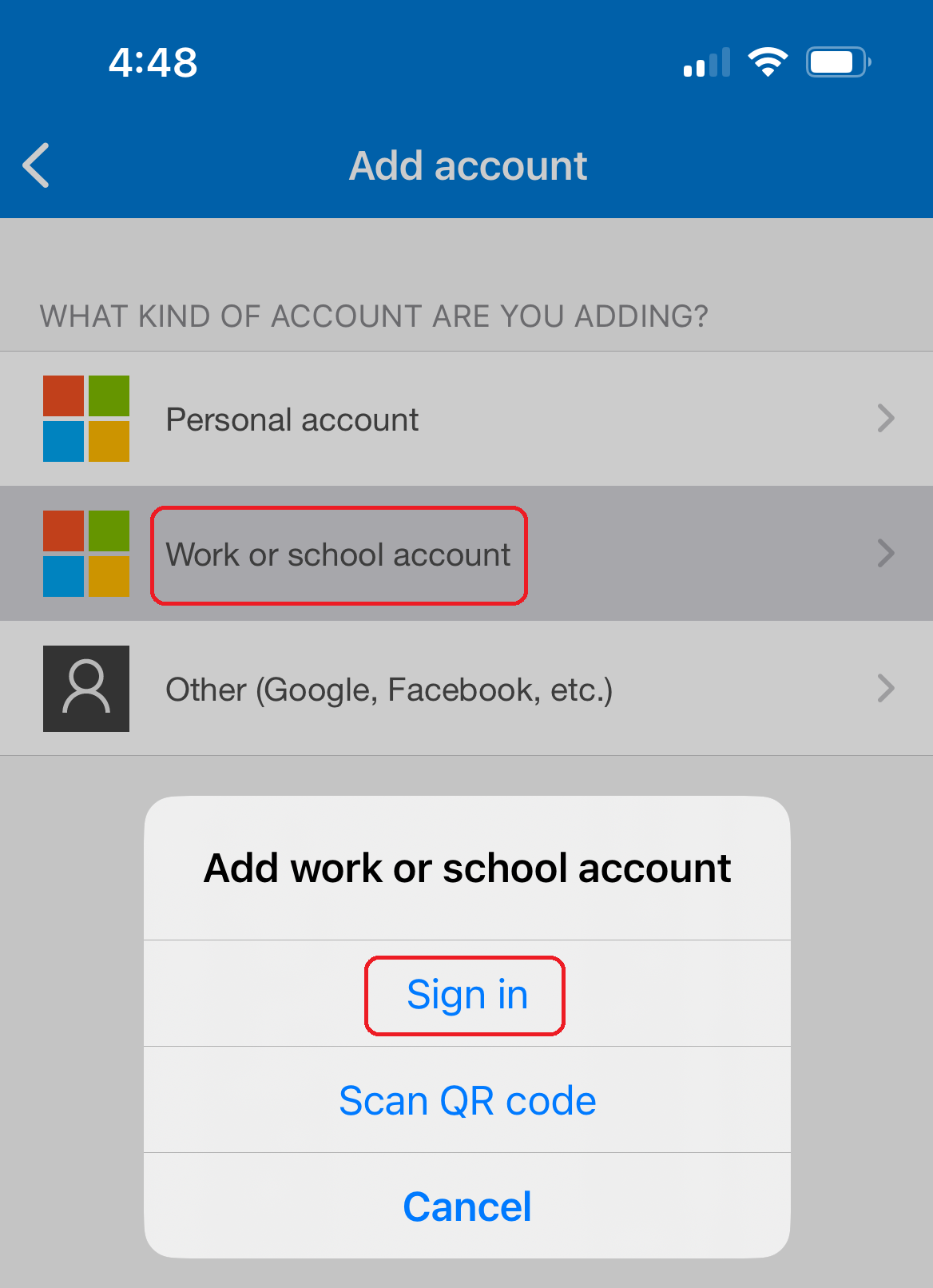
- Select Work or school account and Sign in
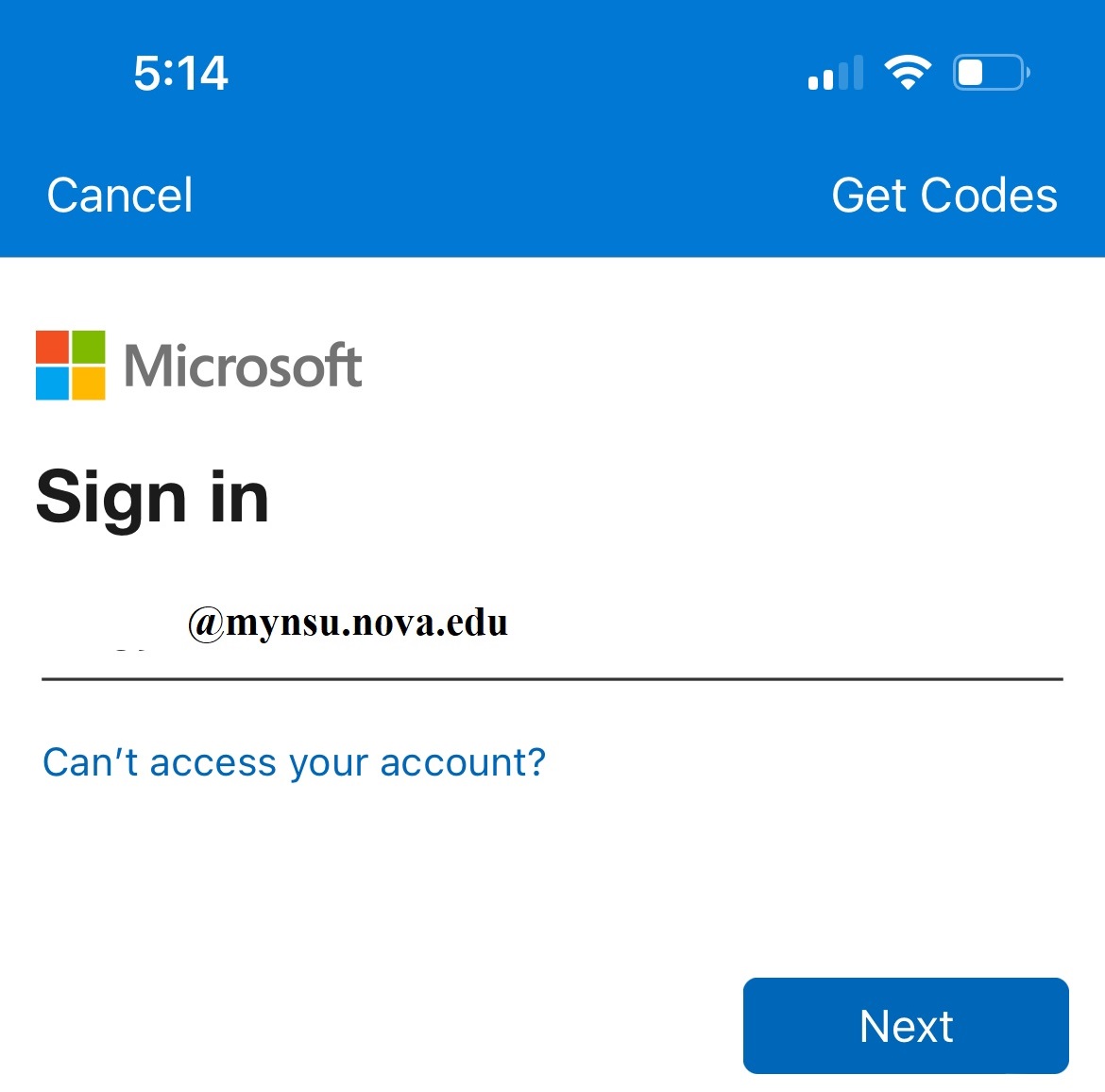
- Sign in with NSU email, if already signed in, skip to the More information required
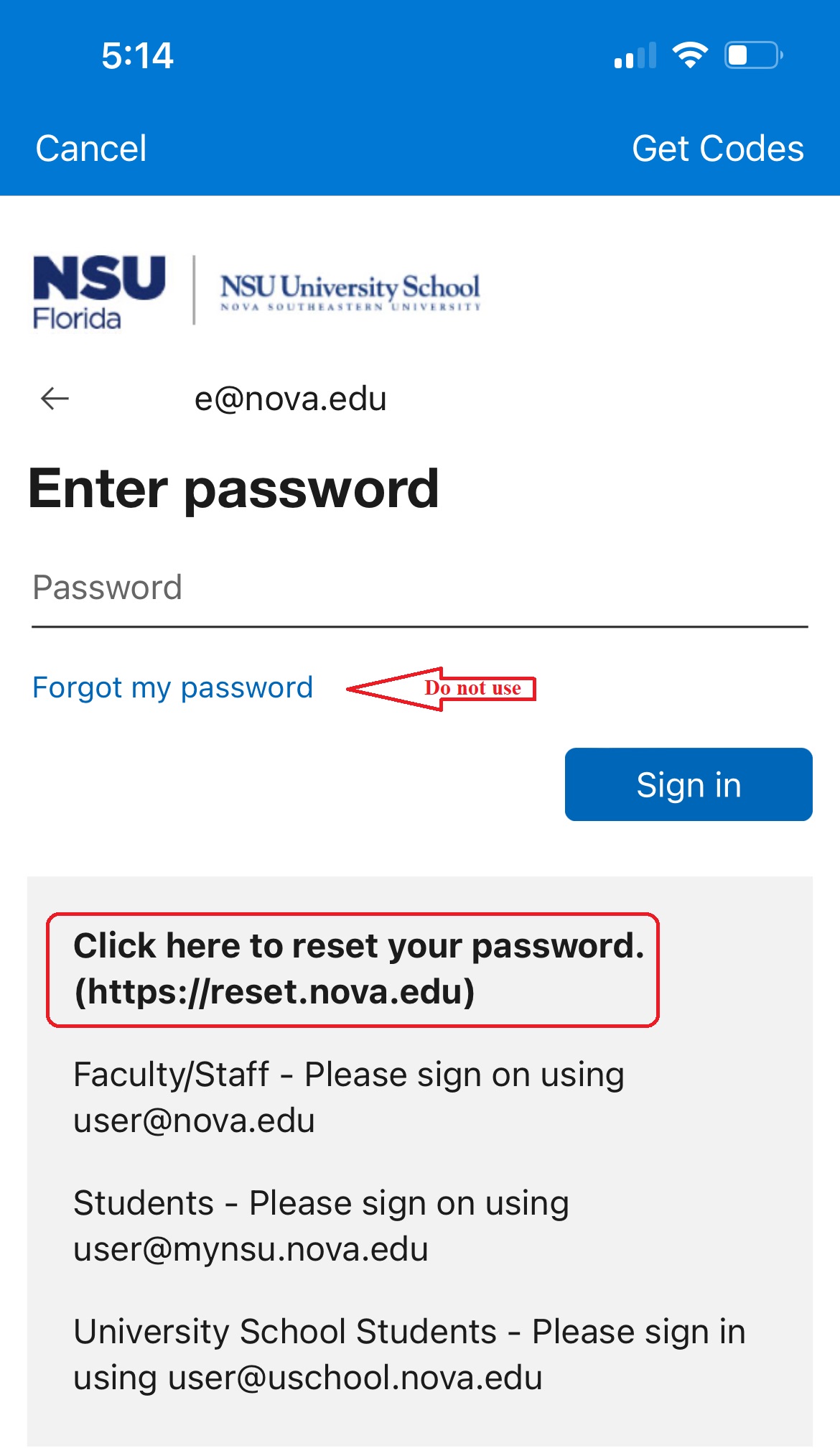
- Enter NSU password - if forgot password do not use "Forgot my password"
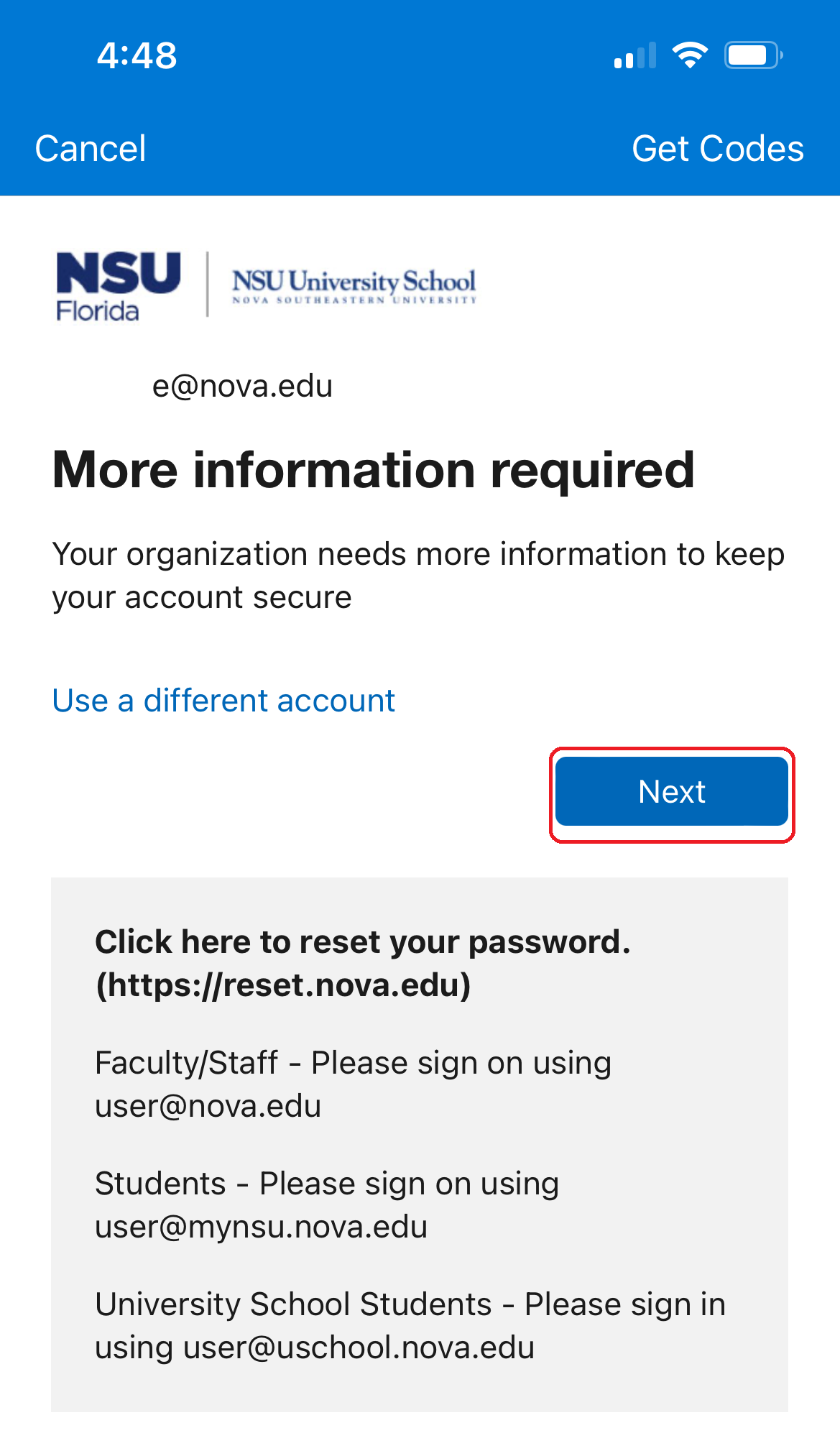
- Click Next (More information required)
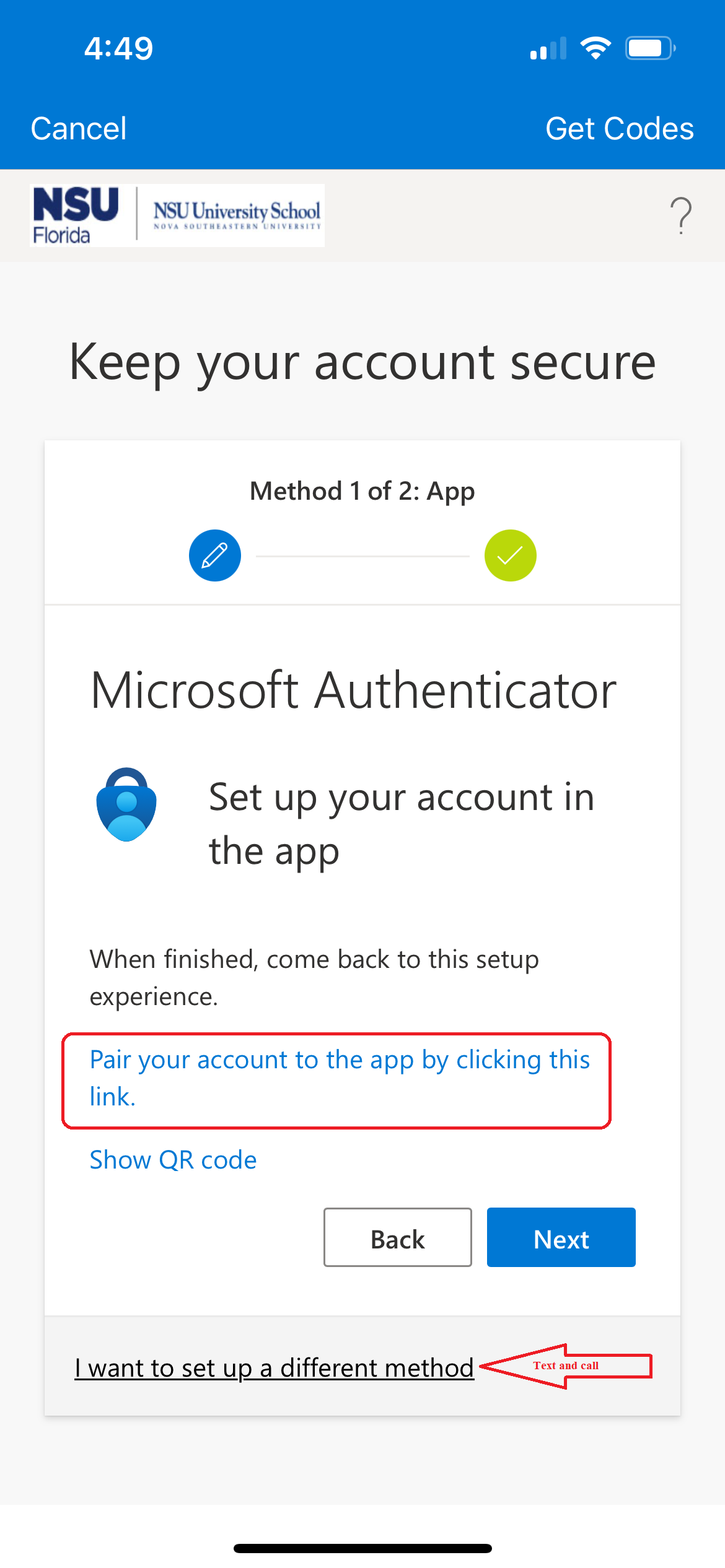
- If setting up for Text, click the "setup in a different method"
- Select "Phone" and enter phone number
- If setting up for Authenticator App
- Install Microsoft Authenticator from your App Store and click Pair your account to the app by clicking this link (possible twice)
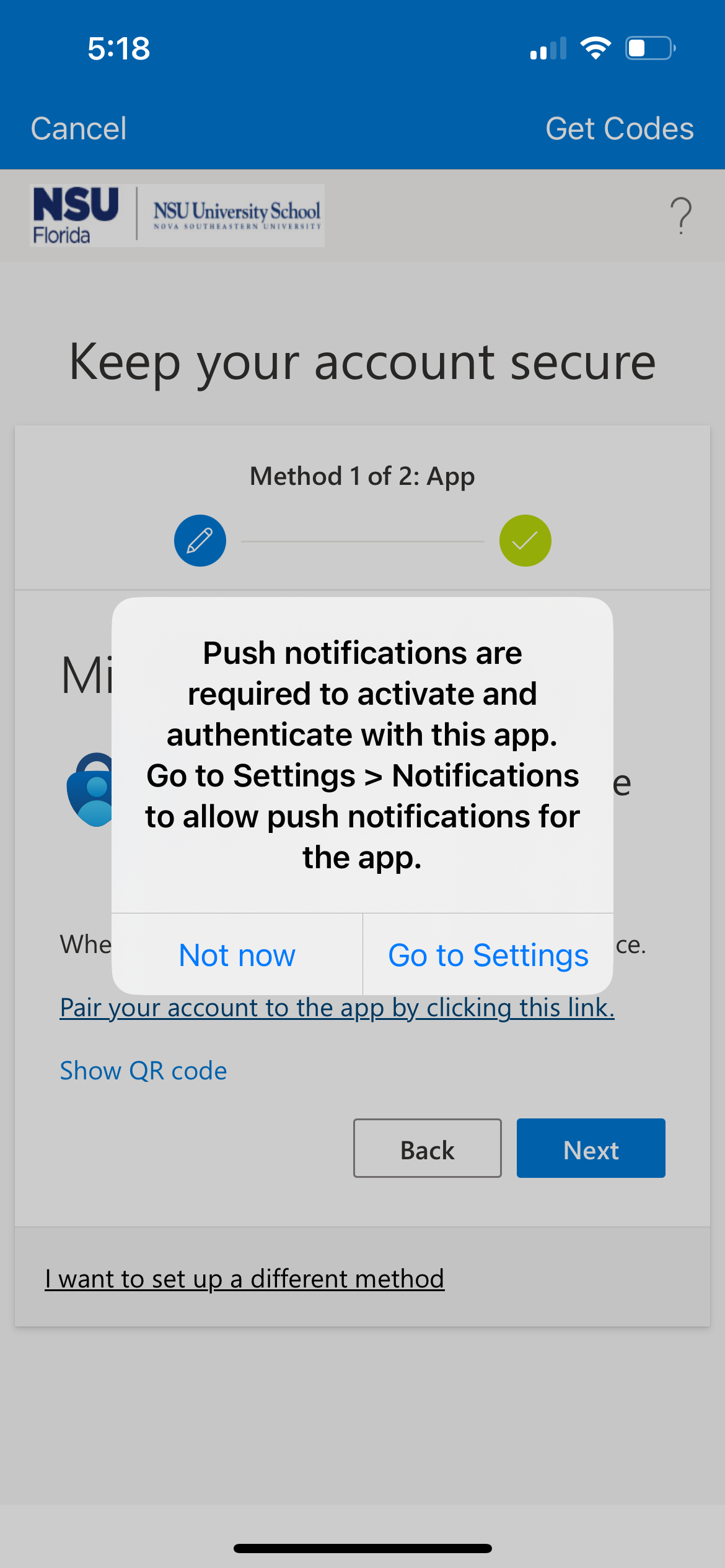
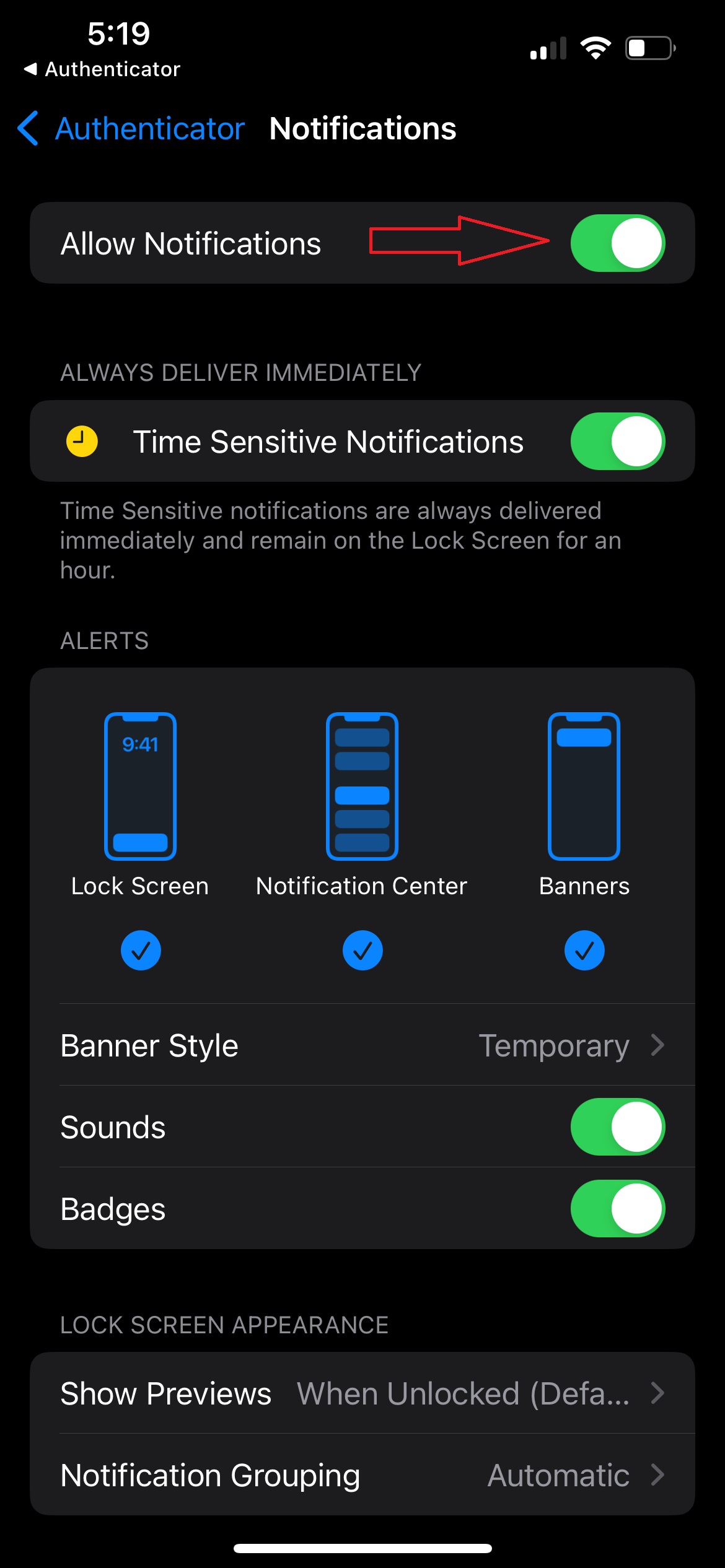
- If a window pops up, go to settings and change settings (If stuck on loop, start over, no need to reset MFA again)
- You will be shown a number to enter (click I can't see the number) behind "Are you trying to sign in?" window
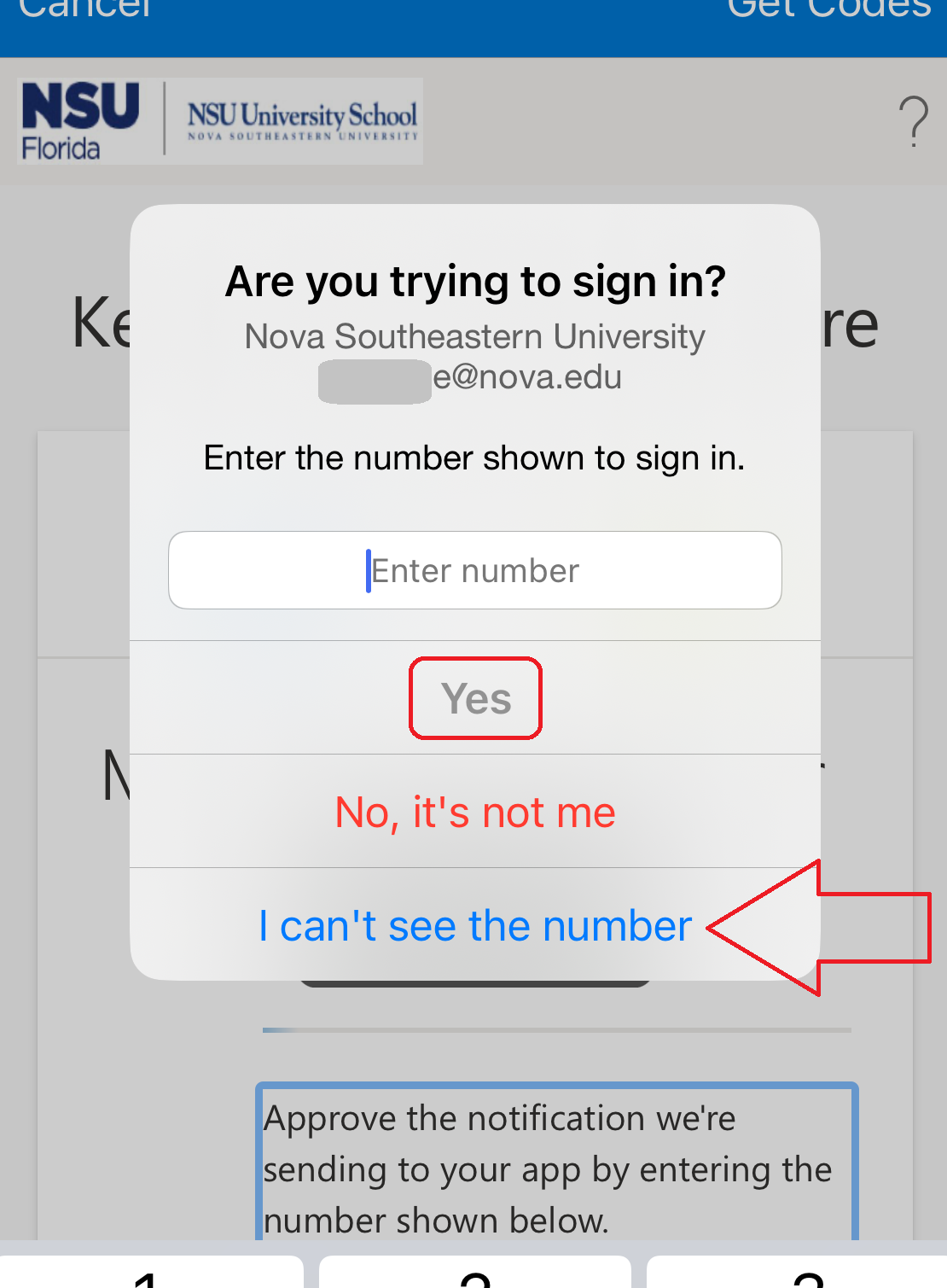
- Remember and type in number when window comes back, click yes
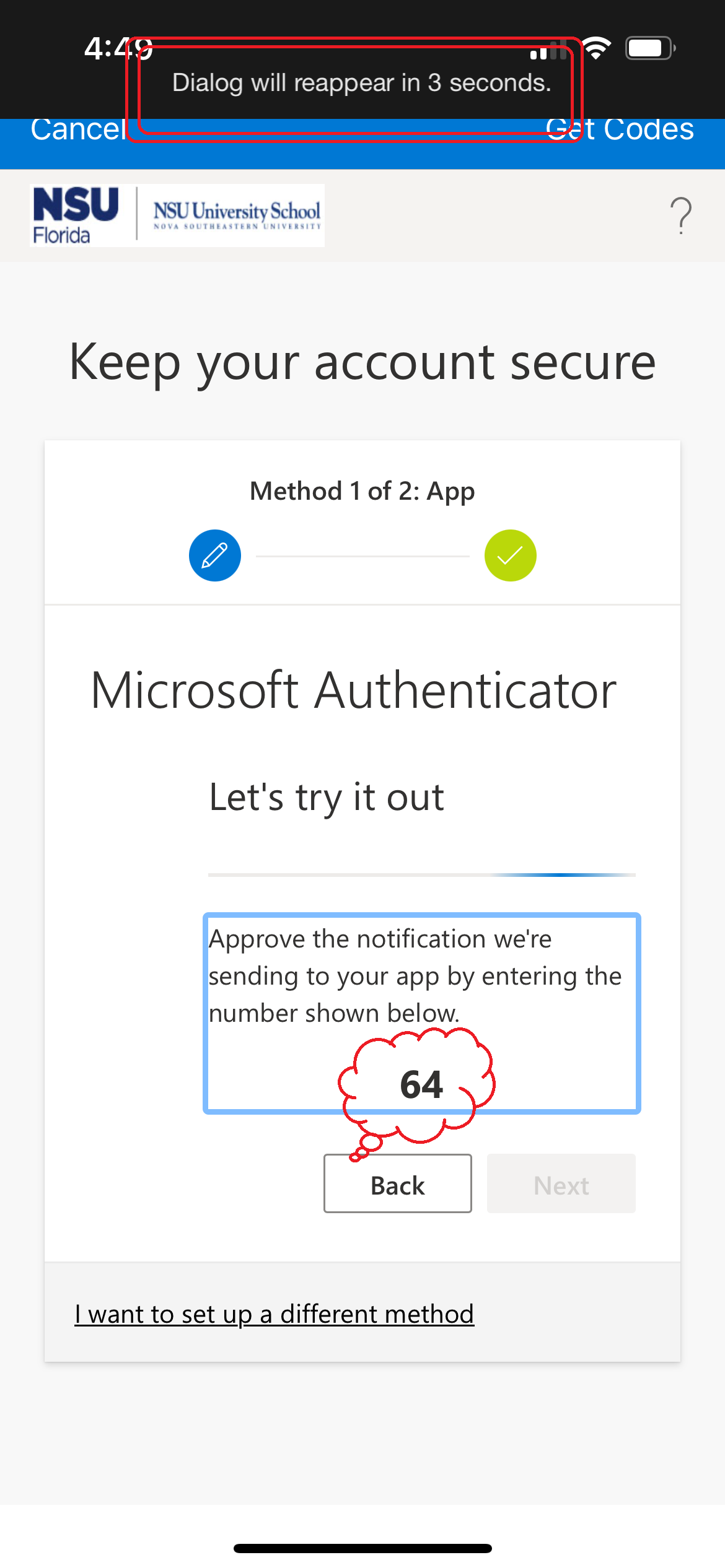
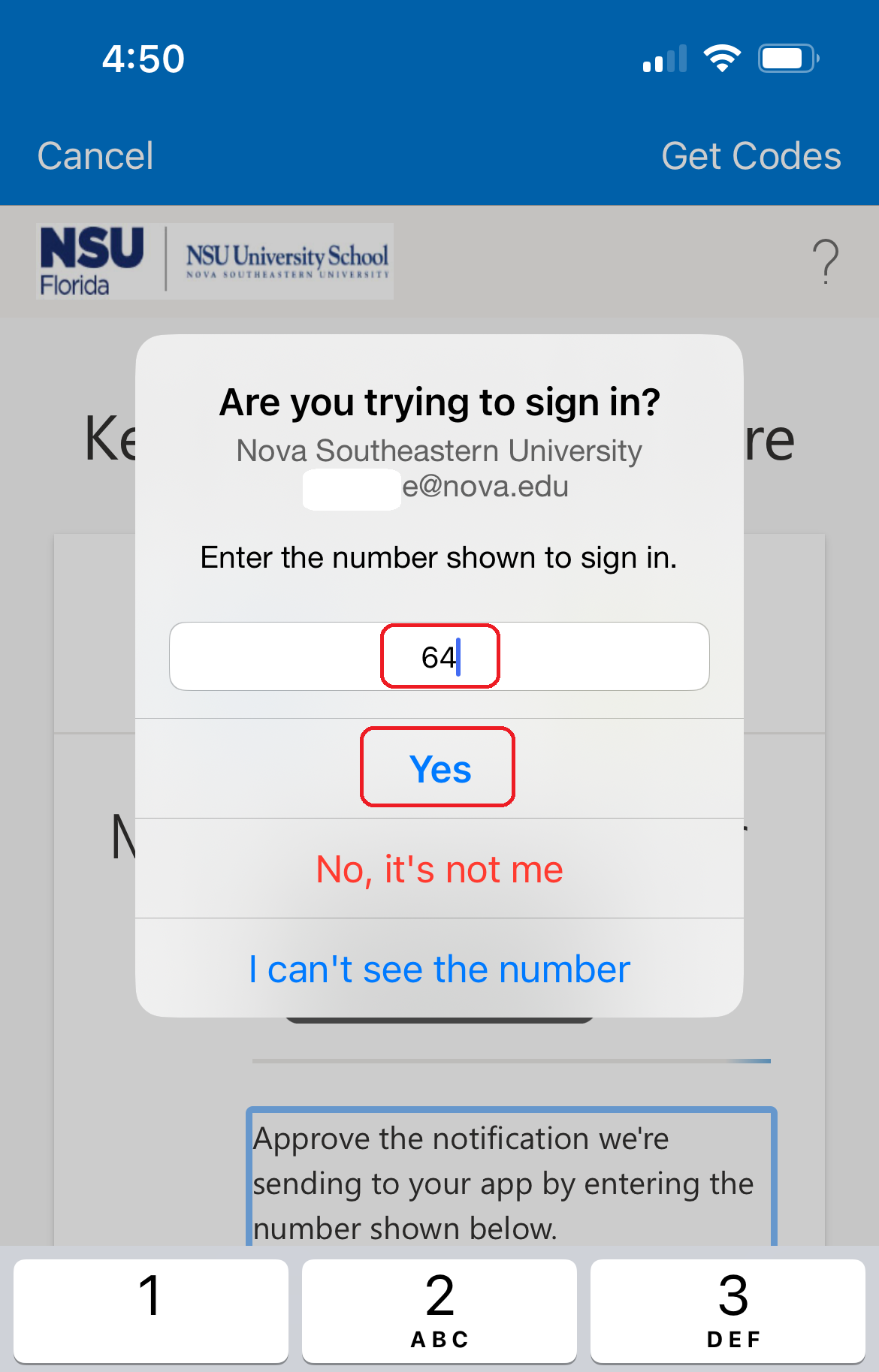
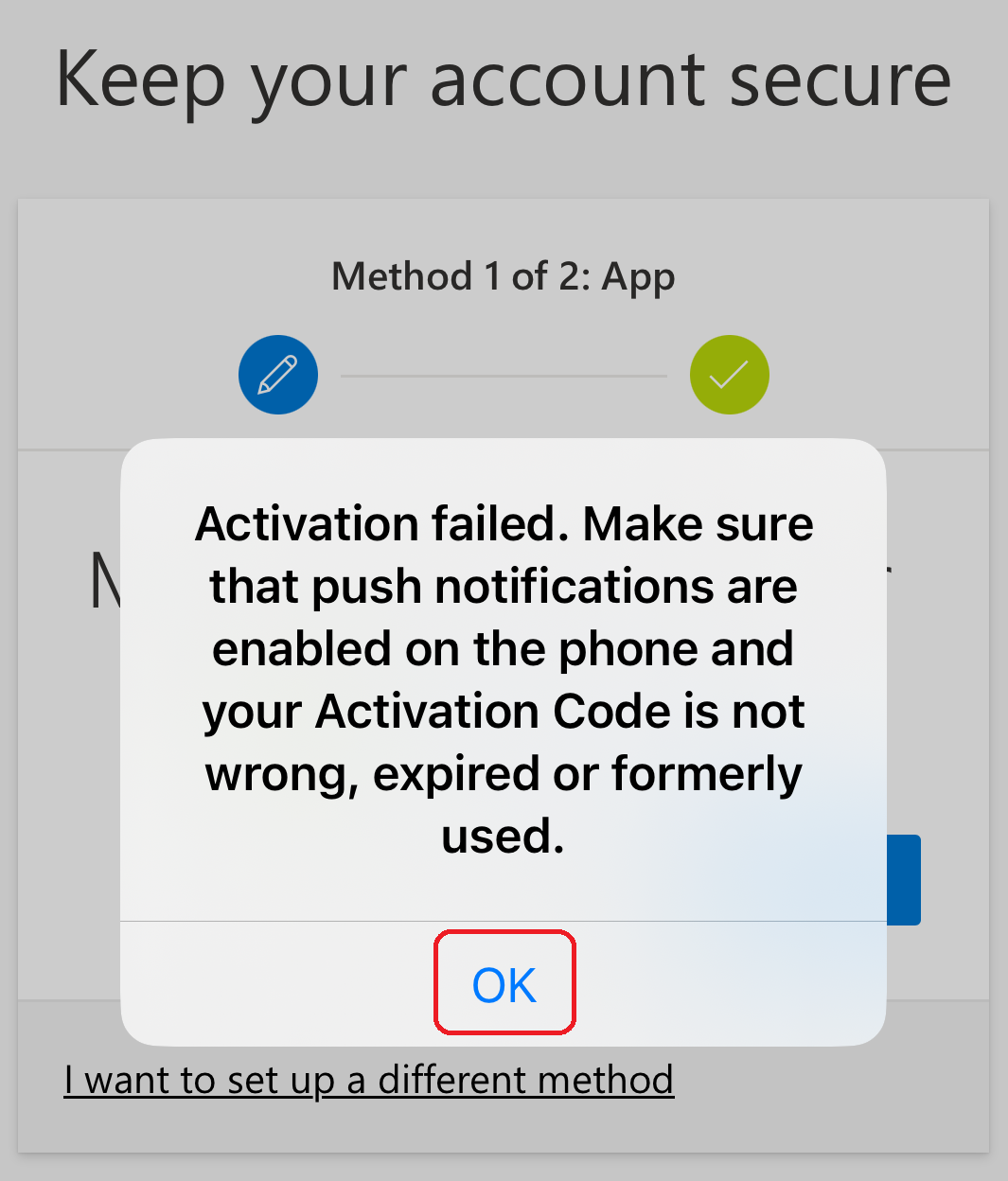
- Will get an activation failed window infront of the green check-mark, click OK
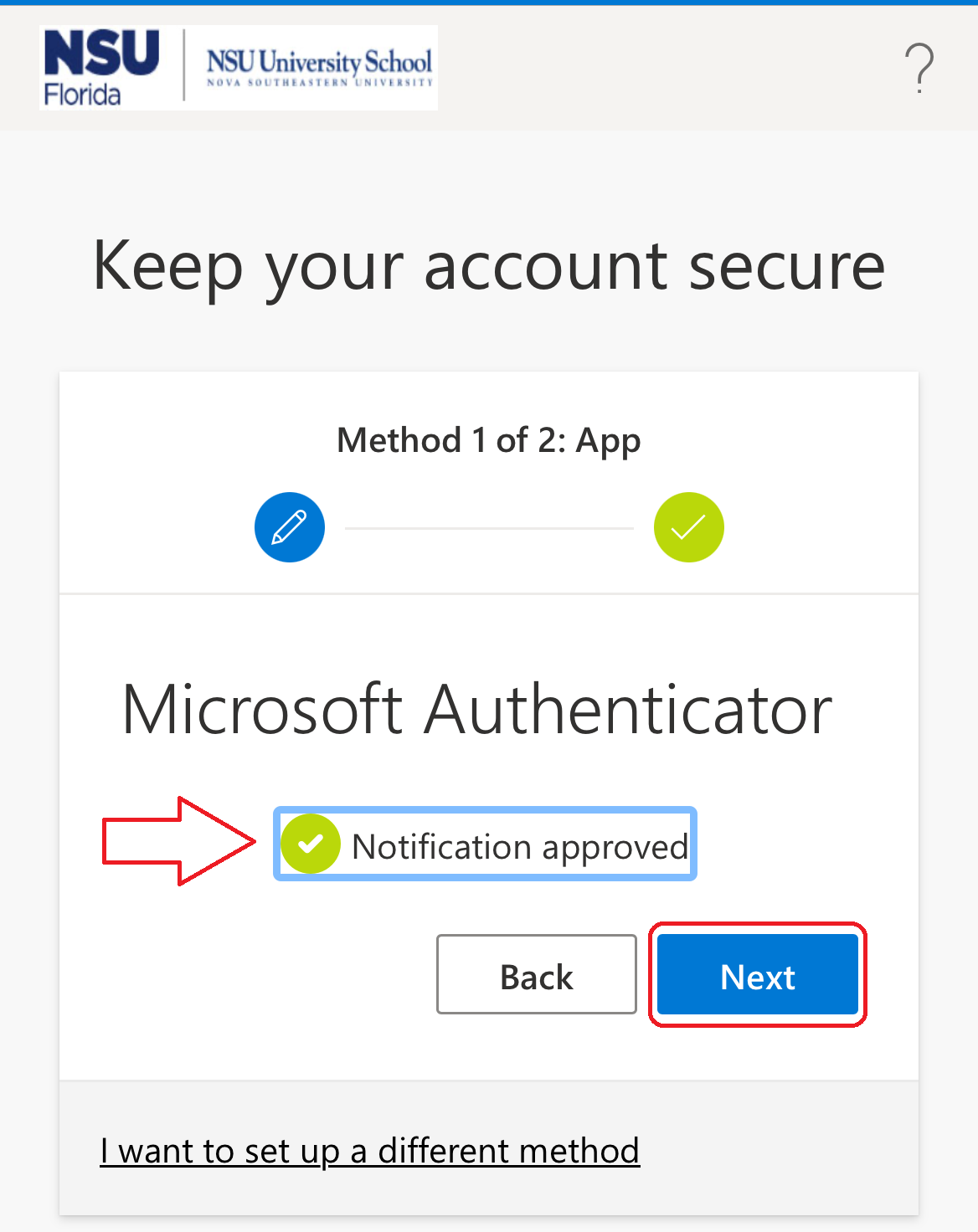
- the Notification approved will be behind click Next
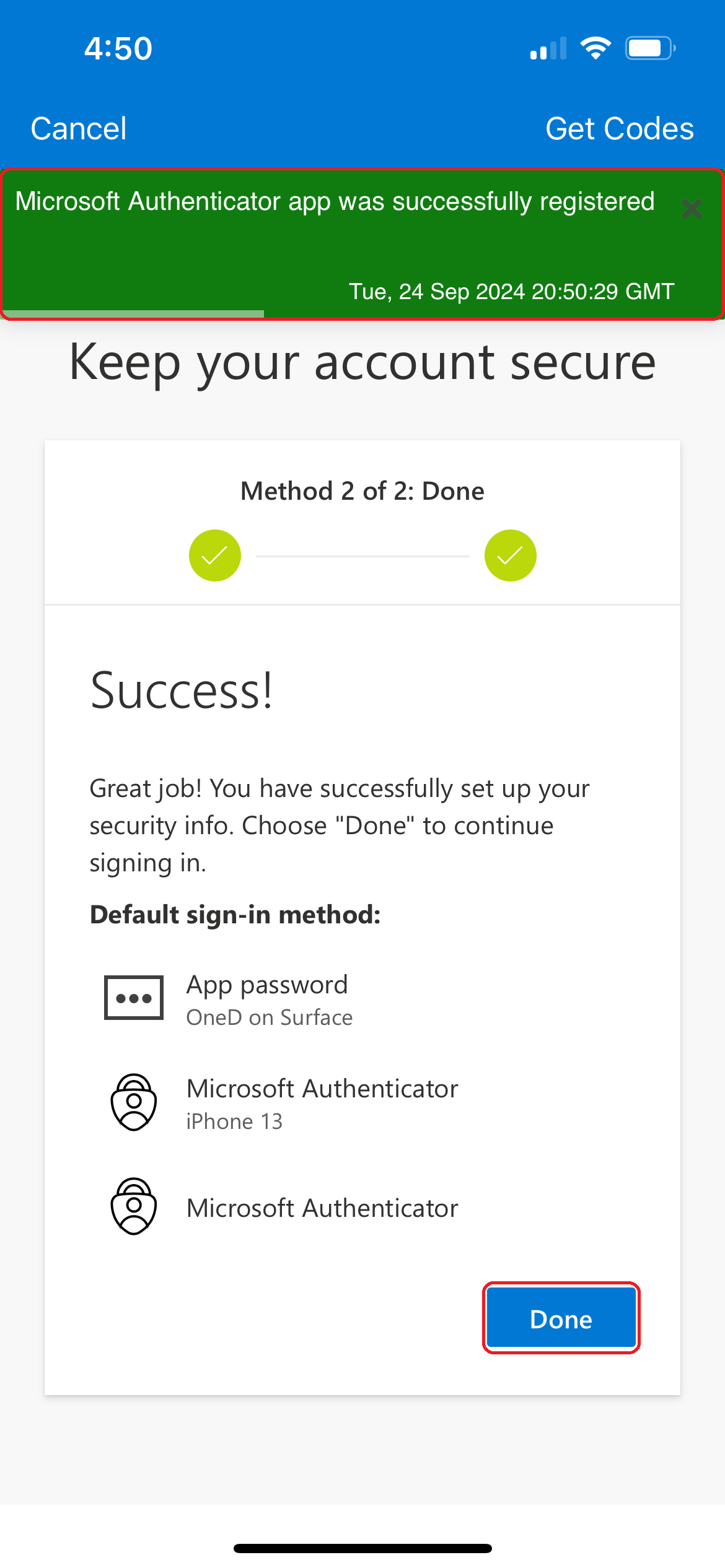
- Click Done
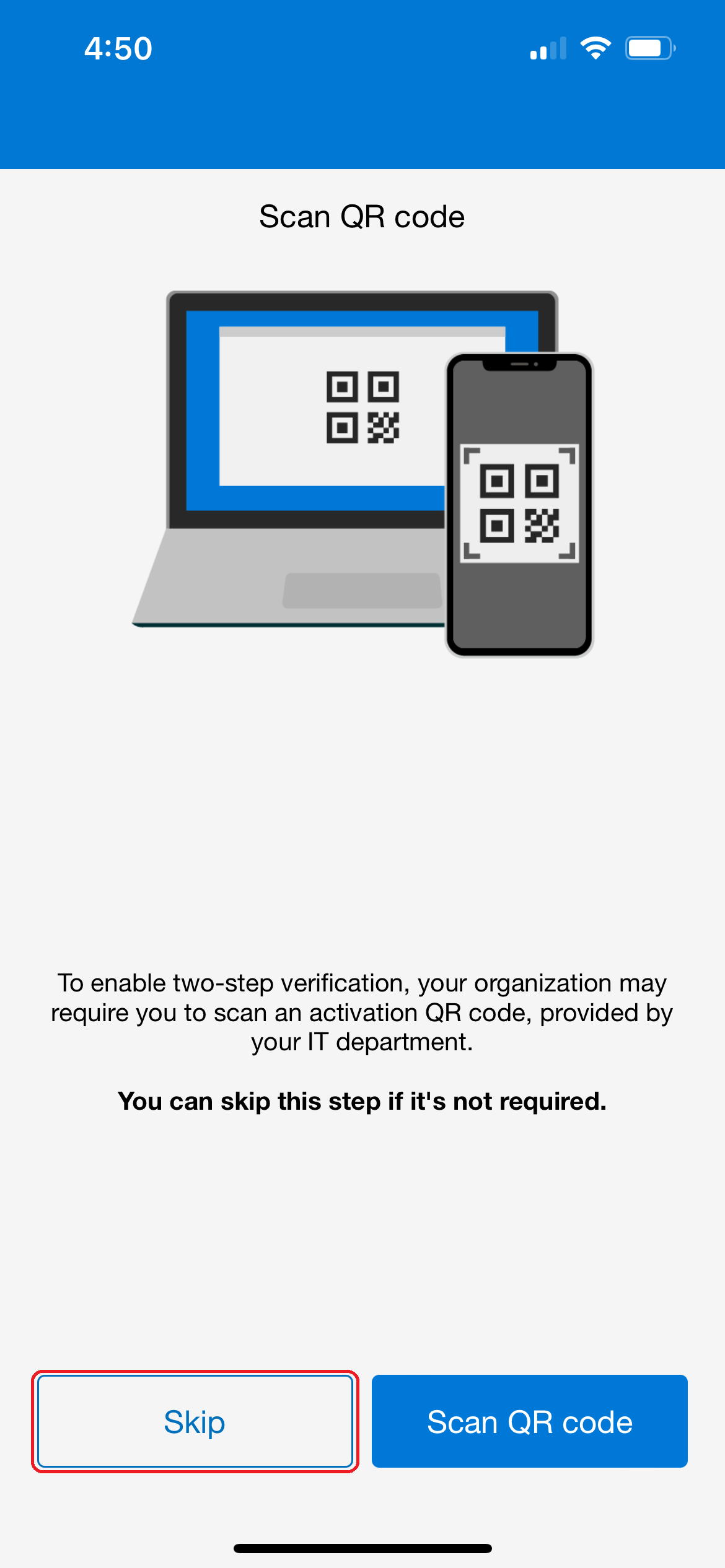
- Click Skip
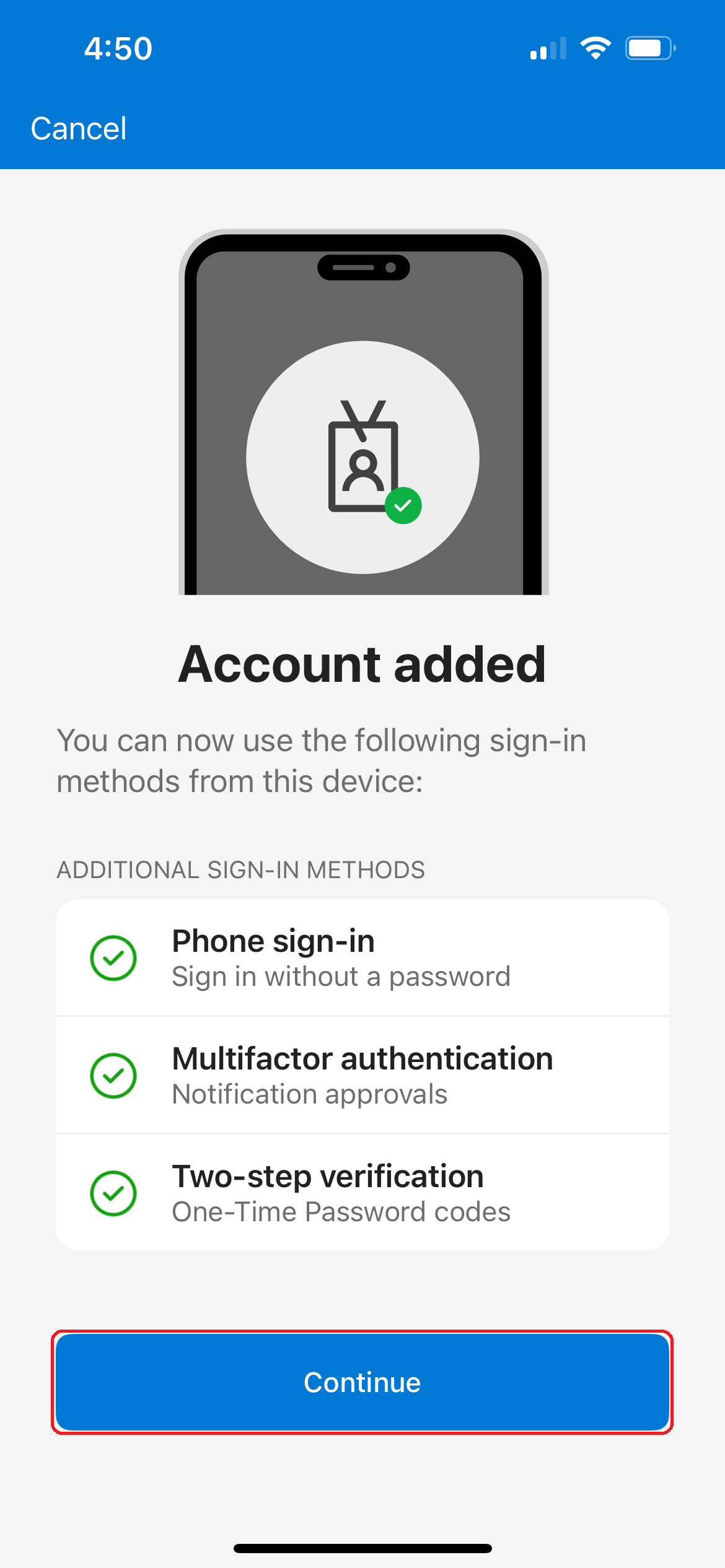
- Click Continue
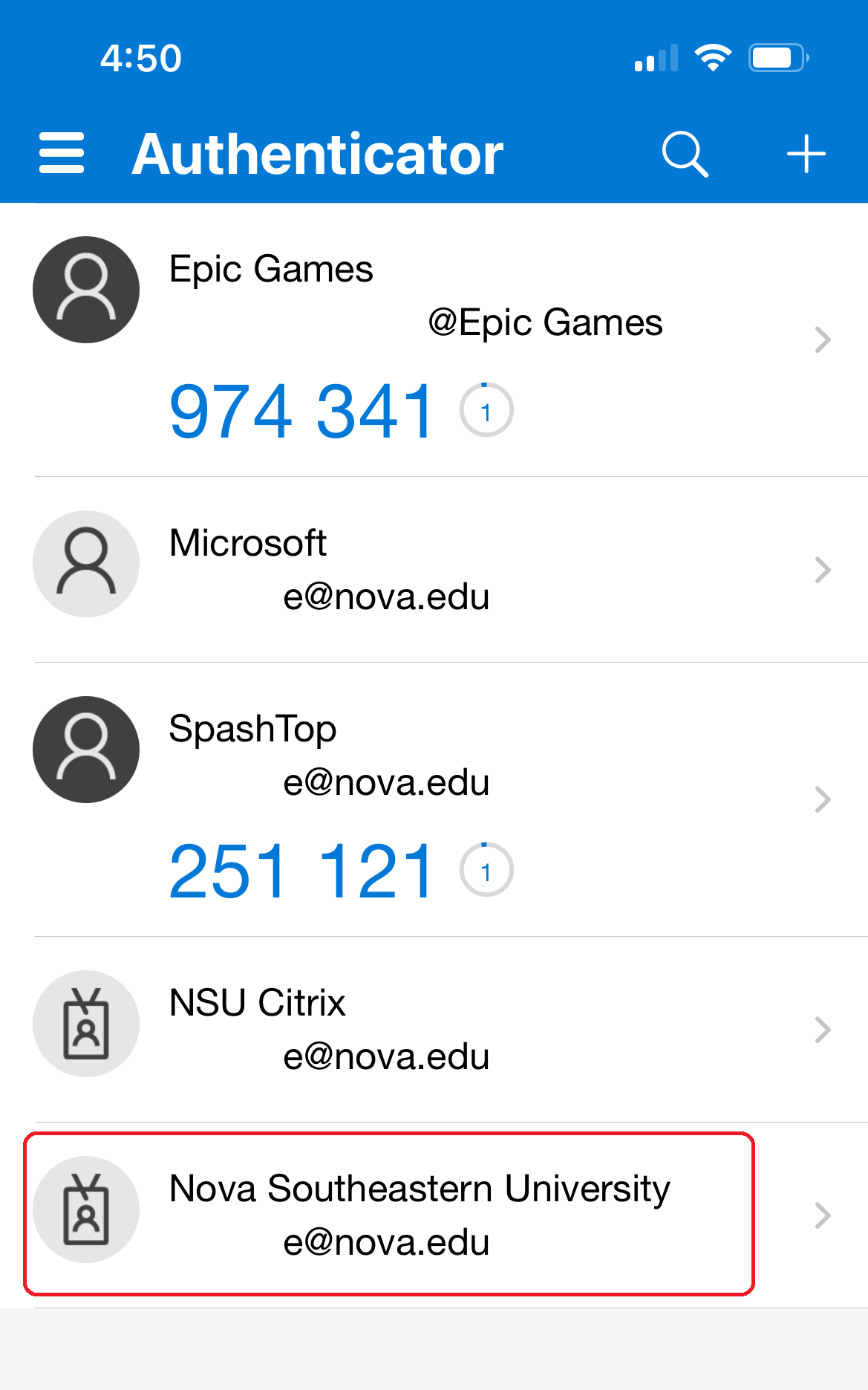
SharkLink
SharkLink is NSU's online portal. With a single username and password, students, alumni, faculty, and staff members can easily access many online university applications.
Quick Guide
Students (PDF)Microsoft Online Archive
Faculty and Staff (PDF)
Current Hours of Operation
Monday-Friday: 8:30 a.m. – 5 p.m.
Saturday: Closed
Sunday: Closed
Closed on University Holidays
Holiday Schedule
Help Number for Students:
(954) 262-4357
Toll Free:
800-541-6682 ext. 24357
Help Number for Staff:
(954) 262-0070