The People Directory is a complex presentation from multiple data sources matched by NSU email address.
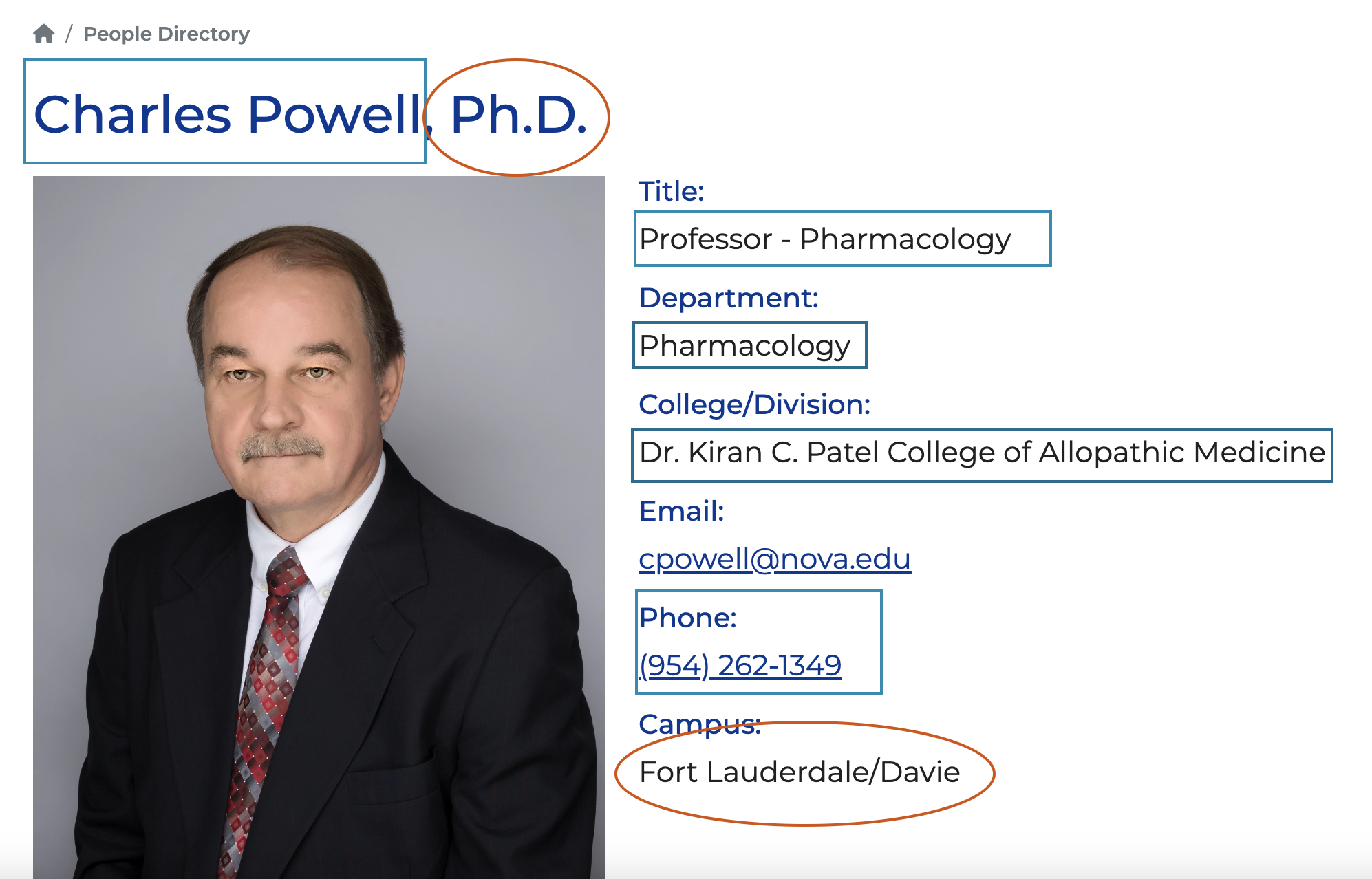
Content Coming from Banner includes (outlined in blue):
- Name
- Title
- Pronouns
- Department
- College/Division
- Phone number
Content Coming from Modern Campus includes (circle in orange):
- Degree
- Short bio
- Education
- Publications
- Research focus
- Courses taught
- CV
- Links to websites such as bepress.com or Google scholar
- Image/Headshot
Things to Note:
- The data from Banner only includes active employees. It excludes employees from NSU UNIVERSITY SCHOOL and MAILMAN SEGAL center-HUMAN DEVEL.
- Retired faculty or faculty on sabbatical are not considered “active” employees.
- The title that is in Banner is what will appear on the website.
- The department list for divisions and colleges has been manually configured and can be adjusted as needed.
- Employees have been grouped into the following categories: adjunct faculty, staff, faculty, administrator.
- Administrators who are also listed as faculty will appear in both categories.
- Any category can be excluded from the list if a college/division prefers (ie: adjunct). Unless it is a required field.
This new process will provide more accurate information on the website personnel directory and will enable NSU to have a university-wide people search option, which will provide better usability.
FAQ
Any changes to the people directory within the CMS can be submitted via the PRMC web request form: https://www.nova.edu/prmc/web-request.html.
Updates to a profile page (see above, Content Coming from Modern Campus) can be made through a web ticket request. Once a web request is submitted, the web team will work on updates needed for the profile listing and will let the user know when the information is updated. These changes appear on the website immediately after being published.
The personnel data coming from Banner (see above) will be imported on the first and fifteenth of each month and will be published live on the website the following day. * Any new employees or terminated employees will not be added/removed from the website until the 2nd or 16th of each month. If immediate need to remove an employee, then submit a web request.
To have an employee’s home department changed, your HR/Banner designee should submit a workflow for Labor Distribution and at the bottom of the form, designate the new home department/organization. This will not impact how the funds are distributed.