Global Alert is a red bar that appears on every page of the website when activiated to notify the campus of an emergency, such as a hurricane warning.
The Global Alert can be edited and enabled/disabled on the templates site at /_resources/includes/alert.pcf.
If you have access to the template site, you will have the ability to publish/unpublish the global alert.
1) Navigate to the Global Alert pcf file. Open and check out the file by clicking on the light bulb (yellow=checked out).
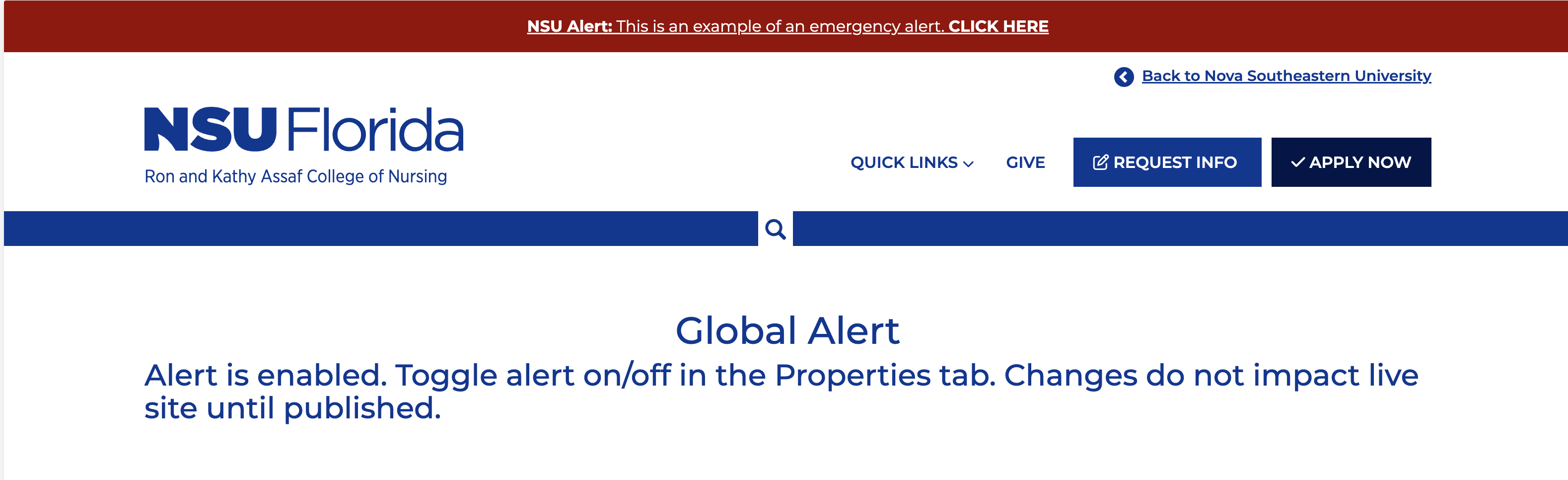
2) Click on the green "edit alert" button. Update the alert message within the table and click save.
3) Click on the properties in the horizontal navigation and then parameters in the left menu.
Toggle display alert yes/no under Alert Options. Changes do not impact live site until
published.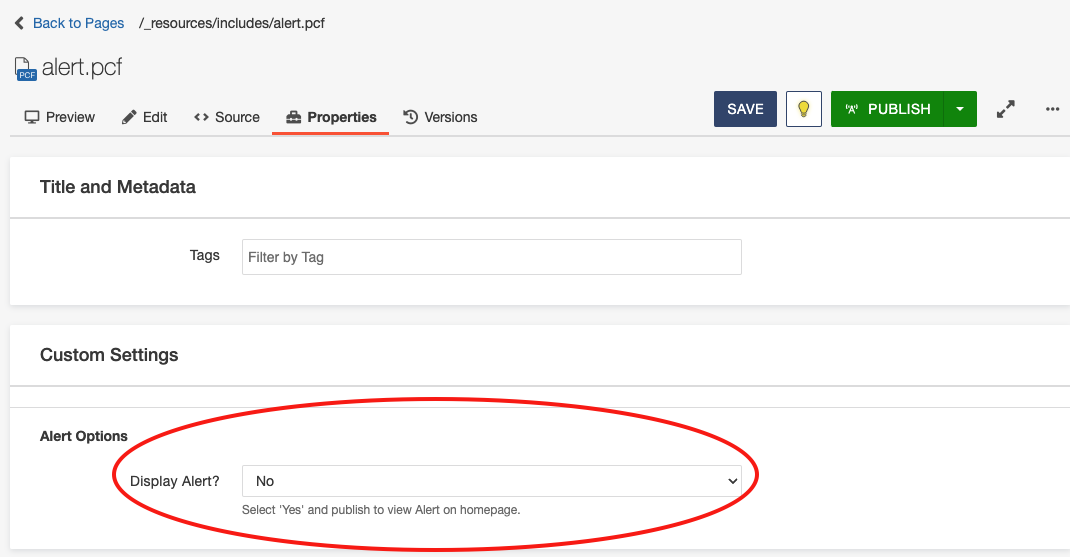
3) Save, then publish the file for the global alert bar to appear. Note that the publish target seleted should be "Production" to appear on the live site. It may take several minutes for the alert to appear on live pages.
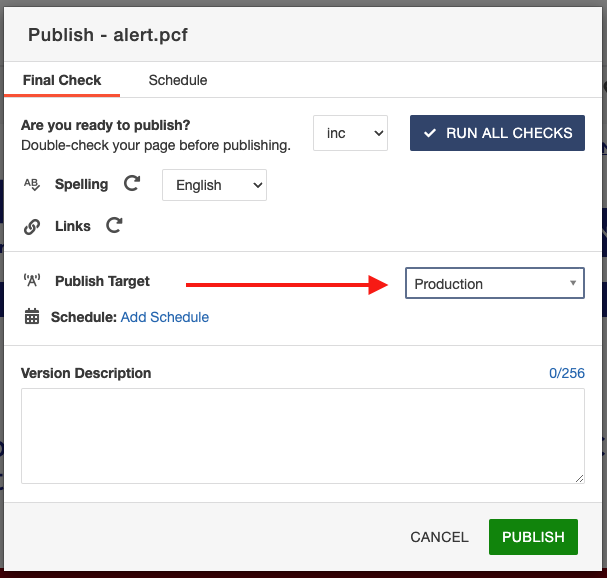
4) To unpublish the global alert, navigate back to the global template page, toggle off the display alert by selecting no and publish the page.
Currently the live sites are: Nursing, Research, and Honors.
Note - we have not tested scheduling alerts to publish yet.